
Key takeaways
- According to Arcade’s State of AI Video 2026 report, 68% of surveyed AI video users selected output quality as a factor in choosing their most recent tool.
- The Arcade’s State of AI Video 2026 report also found that 60% experienced AI generated footage that looked obviously artificial.
- AI video generators can create cinematic scenes, animate images, transform footage, and produce synchronized audio.
- AI video generation advancements in 2027 are expected to focus on greater creative control, consistency, and production flexibility.
- Motion accuracy, character consistency, and precise editing remain important limitations.
- Combining AI with 3D animation, VFX, and traditional production tools can help creators achieve more predictable results.
TL;DR
AI video creation in 2027 is moving toward more controllable and flexible production workflows. Creators can already generate cinematic footage from text, animate still images, transform existing videos, and use reference materials to guide movement and appearance. Emerging technologies could make longer sequences, consistent characters, and precise camera control more practical. However, AI video generation still struggles with complex motion, visual continuity, and detailed editing. Combining AI with traditional animation, 3D software, and cloud computing offers a practical way to take advantage of these capabilities while working around their limitations.
The state of AI video creation in 2027

AI video generation has progressed rapidly, moving from short, experimental clips to increasingly sophisticated tools capable of producing realistic movement, cinematic environments, and stylized animation. What once required extensive filming, modeling, or animation can sometimes be created from a text prompt, reference image, or existing video.
However, visual quality remains a major consideration. According to Arcade’s State of AI Video 2026 report, 68% of surveyed AI video users selected output quality as a factor in choosing their most recent tool, while 60% reported experiencing footage that looked obviously AI generated. These findings highlight why AI video generation advancements in 2027 are expected to focus on improving realism, consistency, and creative control. As more creators incorporate AI into their workflows, understanding both its capabilities and limitations becomes increasingly important.
What can AI actually do?
AI video generation covers several techniques, each suited to different creative tasks. Some tools generate scenes from scratch, while others animate existing images or transform footage while preserving aspects of the original movement.
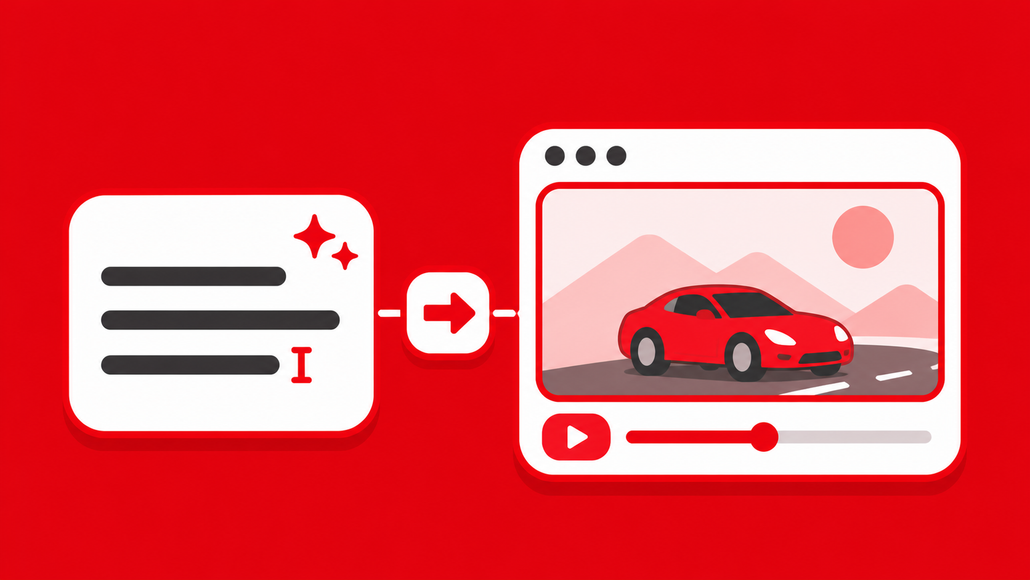
Text to video generation – Text to video models create moving visuals from written descriptions. Creators can specify subjects, environments, actions, lighting, and camera movement to generate footage without first building a scene in 3D or recording it with a camera.
Image to video animation – Image to video generation allows creators to animate an existing image, such as a character illustration, product photograph, or concept design. The image provides a visual starting point, while the model generates movement and additional frames. This approach is particularly useful when maintaining a specific visual style or composition matters. An artist could create a character in Blender, render a still image, and use AI to animate facial expressions, clothing, or environmental effects.
Video to video transformation – Video to video generation uses existing footage as a reference for creating a new visual result. Depending on the model, it can preserve aspects of the original motion, framing, and composition while changing the appearance of subjects or environments. This gives creators more control over movement than generating everything from text alone, although motion preservation is not always exact.
Character consistency and cinematic camera movement – Some AI video systems support reference images, character conditioning, and camera controls to help maintain a recognizable subject or achieve a particular shot. These features can make it easier to create recurring characters, controlled camera movements, and visually related scenes. However, maintaining identical facial features, clothing, props, and environments across multiple generations remains difficult, particularly when characters move through complex scenes.
Audio generation and lip synchronization – AI video creation can also include dialogue, environmental sounds, and synchronized character speech. Models with native audio generation can produce sound alongside visuals, while other workflows rely on separate speech synthesis and lip synchronization tools. This is useful for animated conversations, advertisements, and short narrative videos. Nevertheless, creators may still need to correct timing, pronunciation, emotional delivery, or inconsistencies between the audio and visuals.
What’s changing?
The most interesting AI video generation advancements for 2027 involve making AI footage more predictable and useful within larger productions. While improvements are expected, the following areas represent developing capabilities rather than guaranteed features of every model.
More precise motion and performance control
One major direction is the use of structured motion references instead of relying entirely on text prompts. Pose information, depth maps, edge maps, and reference videos can guide how subjects move through a scene.
For example, a creator could animate a basic character performing a dance in Blender, then use that movement to guide an AI generated character. This approach gives the model a clearer motion reference and can reduce the unpredictability associated with prompt based generation.
For a practical example, see our guide on how to make AI videos with more control, which demonstrates how 3D playblasts can guide motion, camera movement, and visual style in ComfyUI workflows.
Better character consistency and longer sequences
Generating an impressive individual shot is relatively straightforward compared with maintaining continuity across an entire story. Characters need to retain their appearance, objects must remain recognizable, and actions should connect naturally between shots.
Reference conditioning, video extension, and more sophisticated temporal modeling are helping address these challenges. Further improvements could make AI more practical for short films, advertisements, and episodic storytelling, although longer sequences still require careful review.
More flexible editing and scene refinement
AI video workflows are also becoming more focused on iteration. Instead of repeatedly generating a completely new clip, creators can use supported editing and conditioning features to adjust parts of a scene.
This could involve changing a background, modifying a visual style, extending a shot, or using reference footage to refine motion. The available controls depend heavily on the model, and many systems still cannot provide the precision of conventional animation software.
Cloud computing and more accessible production

AI video generation can demand substantial GPU memory and processing power, particularly when working with larger models, higher resolutions, or repeated generations.
Cloud GPU services allow creators to access computing resources without purchasing powerful hardware. Node based tools such as ComfyUI can also provide greater flexibility by allowing users to connect models, conditioning methods, and processing stages within a customizable workflow.
How much VRAM does AI video generation need?
AI video generation can require substantial GPU memory, depending on the model, resolution, and number of frames. Higher resolutions and longer sequences generally increase VRAM requirements, while techniques such as quantization and offloading can help reduce memory usage.
Creators can use the ComfyUI VRAM Calculator to estimate GPU memory requirements and determine whether their hardware is suitable for a particular workflow.
AI video generation limitations
Despite these advancements, AI video generation has several limitations that creators should consider before using it for professional projects.
| Limitation | Why it matters | Possible workaround |
| Character consistency | Faces, clothing, and objects may change between shots. | Use reference images and consistent visual conditioning. |
| Complex movement | Interactions and choreography may appear unnatural. | Guide motion using animation or reference footage. |
| Precise timing | Actions may not occur exactly when requested. | Use controlled source animation and conventional editing. |
| Longer sequences | Visual errors and continuity problems can accumulate. | Generate shorter shots and assemble them during editing. |
| Fine detail | Small objects, text, and intricate features may distort. | Use compositing, traditional CGI, or targeted corrections. |
| Computing requirements | Generation and repeated revisions can be resource intensive. | Optimize workflows or use suitable cloud GPU resources. |
Physical accuracy and complex interactions – AI models can generate convincing movement, but complicated physical interactions remain challenging. Hands manipulating objects, characters touching each other, and objects colliding can produce unnatural results. These issues become more noticeable when a scene involves precise choreography or multiple interacting subjects. Using recorded performances or structured 3D animation as motion references can help, although the generated output still needs inspection.
Limited creative control and editability – Traditional animation gives artists direct control over keyframes, geometry, materials, and camera positions. AI video generation typically offers a different level of control, with the model interpreting instructions to create the final frames. This can make small revisions surprisingly difficult. Changing a character’s hand position or adjusting the timing of an action may require another generation, potentially affecting other parts of the shot.
Visual artifacts and continuity – Flickering, inconsistent textures, changing facial features, and distorted objects can appear even in otherwise convincing footage. These artifacts may become more apparent when clips are extended or transformed repeatedly. For professional work, generated footage often benefits from conventional post production, including masking, compositing, color correction, and manual cleanup.
Copyright, consent, and commercial usage – AI video also raises questions about training data, likeness rights, ownership, and commercial licensing. Creators should review the terms of their chosen platform and obtain appropriate permission when using recognizable people, voices, or protected material. Commercial usability depends on the specific model, service, and applicable laws. AI generated footage should therefore undergo the same legal and editorial review as other production assets.
Practical applications of AI video creation in 2027
AI video creation can support a wide range of creative industries, although the most suitable workflow depends on the level of control and consistency required.
- Filmmaking and storytelling – Filmmakers can use AI to explore environments, visualize scenes, create experimental sequences, and test visual directions before committing to full production. Short narrative content may also benefit from generated establishing shots and stylized footage.
- Advertising and product visualization – AI can help produce promotional concepts, campaign variations, and atmospheric product visuals. However, advertisements that require accurate product geometry, branding, or specific mechanical details may still benefit from conventional CGI.
- Animation and visual effects – Animators can use AI to transform existing footage, explore character styles, and create effects that would otherwise require extensive manual work. AI generated elements can also be combined with live action footage or traditional 3D renders through compositing.
- Social media and short form content – Short videos are a practical application because they can be produced as individual shots or brief sequences. Creators can experiment with unusual environments, character concepts, and visual effects without building every element manually.
Popular AI video generators to explore in 2027
With so many AI video generation tools available, choosing the right one depends on the type of content you want to create and how much control you need over the results. Some platforms focus on cinematic visuals and ease of use, while others offer more customizable workflows for animation, visual effects, and professional production.
ComfyUI
ComfyUI is an open source, node based interface that lets creators build customized AI generation workflows. Rather than functioning as a single video generator, it supports compatible models and tools for tasks such as image to video generation, video transformation, and motion guided animation. Its flexibility makes it particularly useful for creators who want greater control over their production pipeline.
Higgsfield
Higgsfield is an AI video creation platform focused on cinematic visuals and camera movement. It offers tools for generating stylized footage, creating dynamic shots, and applying camera effects. Its accessible interface makes it useful for advertisements, social media content, and short cinematic sequences.
Runway
Runway provides AI video generation and editing tools for filmmakers, artists, and content creators. Its capabilities include generating footage from prompts and images, along with tools for transforming and refining existing videos. It is particularly useful for creative experimentation, visual effects, and narrative content.
Kling AI
Kling AI supports text to video and image to video generation, with an emphasis on realistic movement and cinematic visuals. Creators can use it to animate reference images, generate character actions, and experiment with different scenes. It is suitable for storytelling, promotional content, and visual concept development.
Luma Dream Machine
Luma Dream Machine provides AI tools for generating and modifying video content. It supports creative workflows involving visual references, motion, and scene transformations, making it useful for concept development, stylized animation, and short cinematic projects.
Frequently asked questions
- What are the main AI video creation capabilities in 2027? – AI video creation includes text to video generation, image animation, video transformation, character reference conditioning, camera guidance, and audio generation. Available capabilities vary depending on the model and workflow.
- Can AI generate an entire movie? – AI can generate individual shots and sequences that can be assembled into a film. However, producing a coherent movie still requires substantial planning, editing, continuity management, and creative direction.
- Can AI video generators maintain consistent characters? – Some models support reference images and character conditioning to improve consistency. Nevertheless, facial features, clothing, and other details may still change between generations, especially across complex scenes.
- Can AI video generation replace traditional animation? – AI can automate or simplify selected animation tasks, but traditional animation remains valuable for precise movement, repeatable results, complex interactions, and detailed creative control. Combining both approaches can be useful.
- What are the biggest AI video generation limitations in 2027? – Important limitations include inconsistent character appearance, complex physical interactions, limited frame level control, visual artifacts, and the computational cost of repeated generation.
- Do you need a powerful GPU to create AI videos? – Not necessarily. Hosted AI video services can handle generation remotely, while local workflows depend on the selected model and available hardware. Cloud GPU rental can provide additional resources for more demanding tasks.
- How can Blender and ComfyUI work together for AI video creation? – Blender can be used to create animation, camera movement, and reference passes. Compatible ComfyUI workflows can then use those outputs to guide AI video generation or transformation, giving creators more control over the resulting footage.
Conclusion
The growing capabilities of AI video generation are changing how creators approach the production process. However, getting impressive results is not just about using the latest or most advanced model. It is about knowing when to rely on AI, when to use traditional production techniques, and how to combine them effectively.
As we move into 2027, creators who experiment with different workflows and develop a better understanding of their tools will be in a stronger position to take advantage of new developments. Rather than treating AI as a shortcut to finished videos, it is more useful to see it as another creative tool that can expand what is possible without sacrificing artistic direction.